Japanese training for organizations
Managing the road to passing,
made simple.
A JLPT N5–N1 learning app plus an admin console.
Invite learners by email and see each class's progress at a glance.
Where Japanese training
usually gets stuck
You hand out materials,
but can't see who uses them
Study is left to each learner and progress is self-reported. Problems only show up right before the exam.
Mixed levels make
one class hard to run
Beginners sit next to N3 learners. One textbook and one pace can't fit everyone.
Admin work is done
by hand
Creating accounts, updating rosters, tallying progress. The more people you train, the more time goes into spreadsheets.
Invite, organize, and follow progress.
That's the whole job.
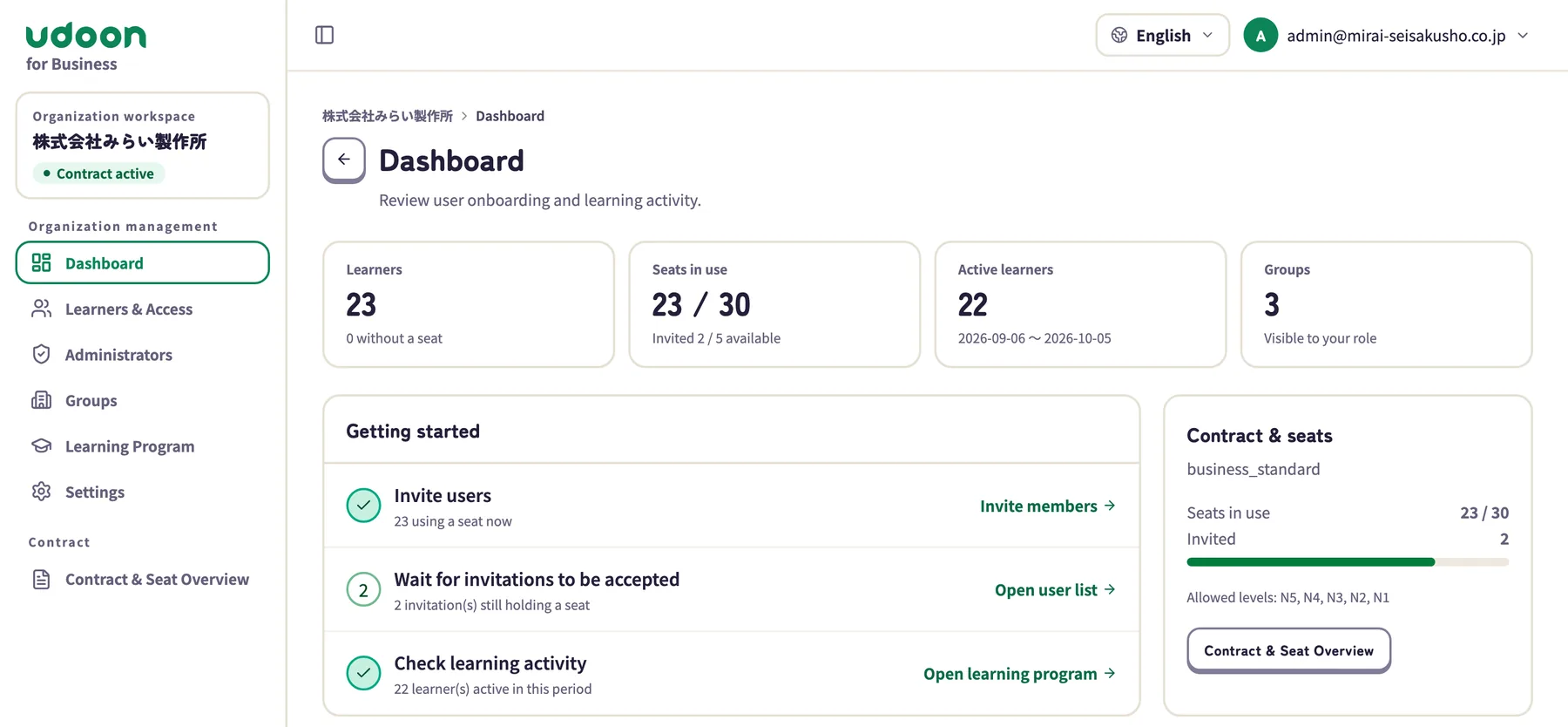
Screens show sample data. The company and the people shown are fictional.
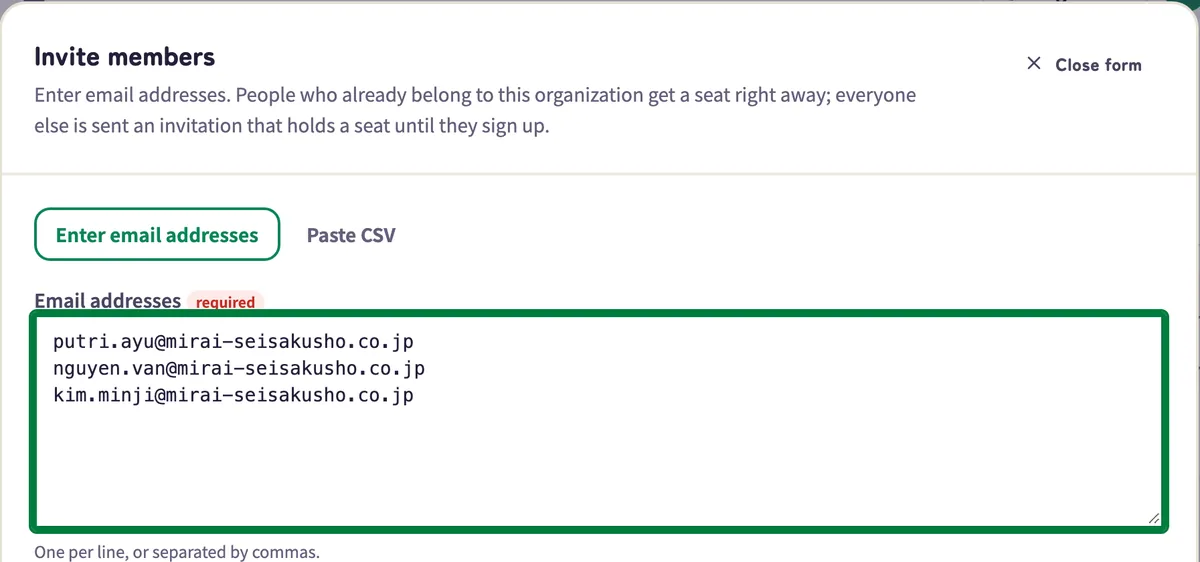
Just paste email addresses.
Paste one address per line, or import a CSV with departments and staff IDs (up to 1,000 at a time). New learners get an invitation email and receive a seat as soon as they sign up. Seats stay reserved while invitations are pending.
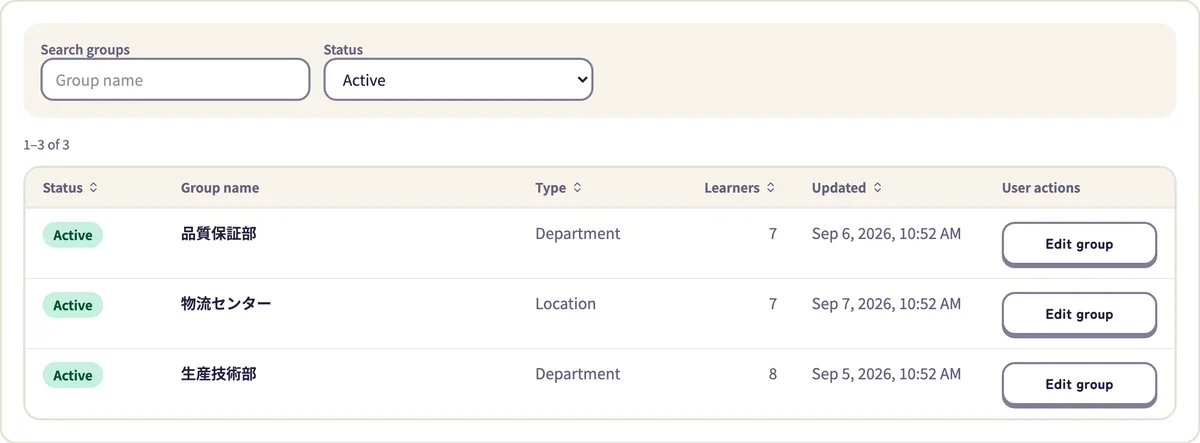
By department, site, or class.
Create groups and assign learners to them. Give each group its own manager, who sees only their own learners. Local leaders can help without seeing other groups' data.
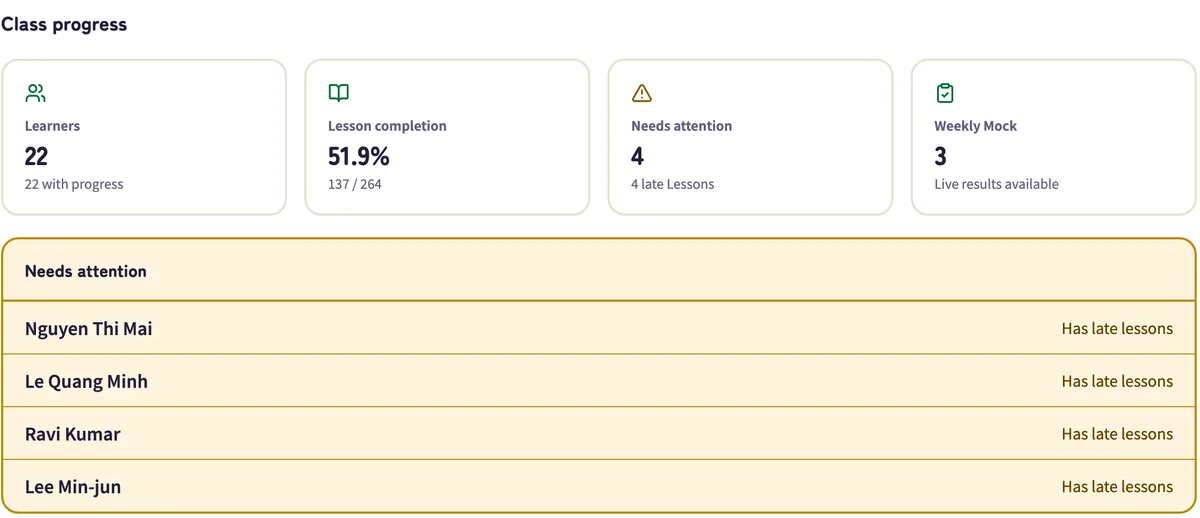
See progress at a glance.
The dashboard shows seats in use, open seats, and who studied this period. In a learning program you see progress by lesson and by learner, weekly mock tests, and anyone who hasn't started a lesson that is past due.
Keep every class
on schedule.
Create a class and set a start date. Lessons then open on schedule. Study days, days off, and lessons per day can be set for each class.
- Lessons open on schedule, so no one races ahead or falls far behind
- Progress by lesson and by learner, for each class
- Reopen an overdue lesson for one learner when needed
- Group managers handle only their own classes
- A class race up Mt. Fuji: the summit means every lesson is done, and anyone can hide themselves from it
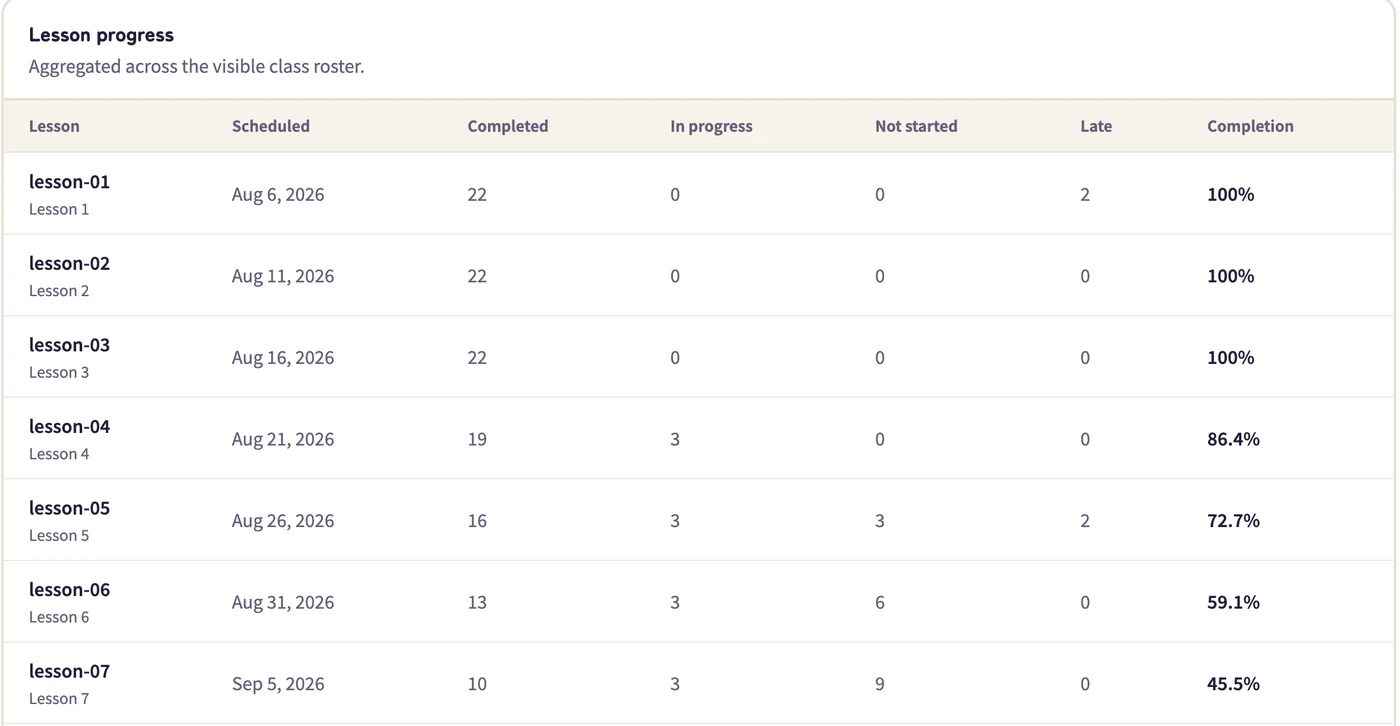
The Learning program screen in the console shows each lesson's due date and progress (sample data).
A clear next step,
every day.
The app decides what comes next. Open it and today's work is ready. Each finished step moves learners up a map of Mt. Fuji, and explanations appear in their own language.
Drills
Vocabulary, grammar, and kanji at the right level.
Mock tests
Same format and timing as the real exam.
AI conversation
Speak out loud and get an instant reply.
Daily reading
Short texts by level, with comprehension questions.
AI Coach
Suggests what to focus on next, based on results.
8 languages
English, Korean, Vietnamese, Indonesian, Spanish, Portuguese, Chinese (Simplified and Traditional)
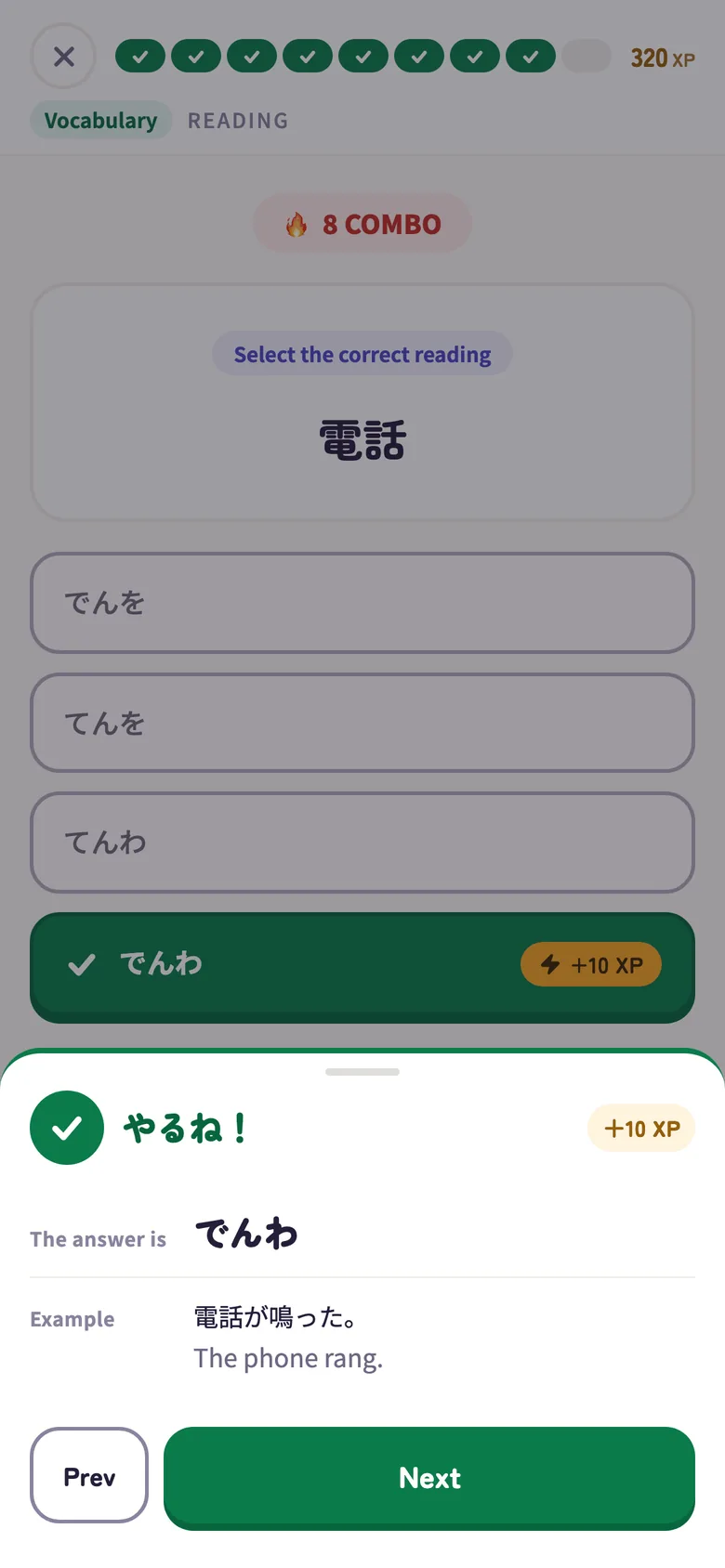
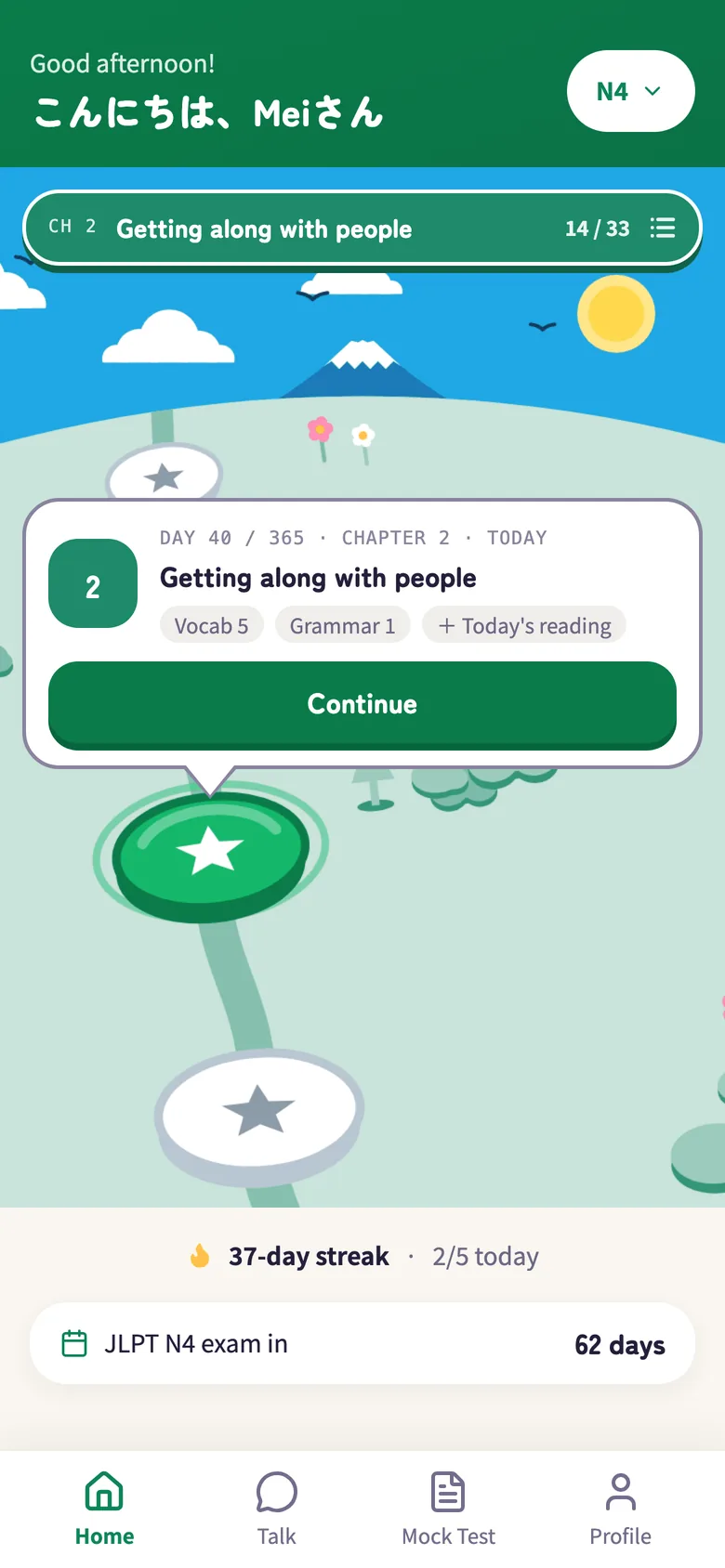
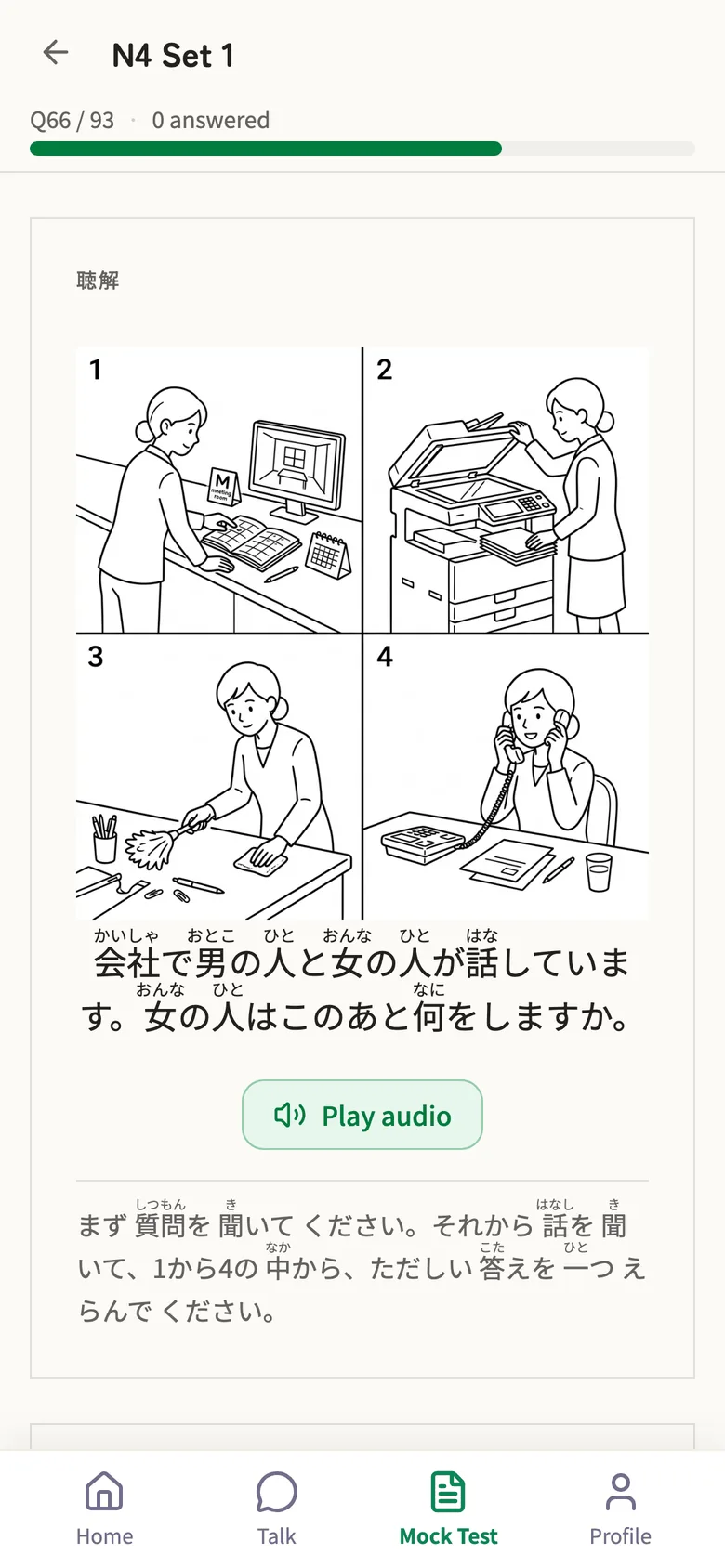
Actual screens. The app appears in each learner's language (shown here in English).
Built for organizations like yours.
Sending organizations and training centers
Prepare candidates for work in Japan before departure, and keep them learning after they arrive.
Japanese language schools and universities
Self-study between classes and JLPT mock tests, with progress teachers can see.
Companies working with Japan
Japanese for staff who serve Japanese clients or are moving to Japan.
How to get started
Contact us
Send us your questions using the form. We'll ask about your numbers and goals.
Quote and contract
Choose the number of seats, the term, and the levels you need.
Set up admins
Your administrators receive an invitation email, sign up, and turn on two-factor authentication.
Invite learners
Paste their email addresses. Each learner can start as soon as they sign up.
Priced by seats
and term.
Tell us how many learners, for how long, and what for, and we'll send a quote. Questions are welcome.
Based on the number of seats, the term, and the levels you use.
- Seats One seat per learner. Admins don't use seats
- Included Drills, mock tests, AI conversation, daily reading, learning programs, and the admin console
- Levels All of N5–N1 (or only the levels you choose)
- Reassign When someone leaves, give their seat to someone else
Frequently asked questions
QWhat if a learner already uses udoon personally?
They can join your organization from the invitation with the same account. They become a member only after accepting, so no one is linked to an organization without knowing.
QCan we reassign seats when people leave?
Yes. Release a seat and it becomes available for someone new. Canceling an invitation also frees its seat.
QHow many people can we invite at once?
Up to 1,000 per batch. With a CSV you can also set departments, staff IDs, and JLPT levels in one go.
QWhich languages are supported?
The learner app is available in 8 languages: English, Korean, Vietnamese, Indonesian, Spanish, Portuguese, and Chinese (Simplified and Traditional). The admin console is available in Japanese, English, and Indonesian.
QWhich devices does it work on?
Learners can use a web browser on a computer or phone, or the Android app. The admin console runs in a web browser.
Have questions?
Talk to us.
Ask us anything, from numbers and timing to pricing and how it works. We'll review your message and get back to you. udoon is run by TORAIZ Inc., a language education company in Tokyo since 2006.